Punch List Software for Superintendents
By James Richardson, Founder of PunchOutPro
You're on your feet. Your phone is always in your pocket. You need to walk units, document punch items, and move on—not spend two hours every night matching photos to a spreadsheet. PunchOutPro is built for superintendents in the field: capture items in seconds, assign them fast, track status live, and let the system handle the paperwork so you can focus on closeout.
Speed in the Field, Not Admin at the Desk
The superintendent's pain: You walk 12 units, take 80 photos on your phone, come back to the trailer, and spend 2 hours matching those photos to a spreadsheet. Then you wait for texts and emails to confirm status. Then something changes, and you start again.
What PunchOutPro gives you: Snap a photo. Tag the room. Assign the trade. Move to the next unit. The system notifies the sub with the photo and location. You check status live. On re-walk, you filter by unit and verify in real time. No spreadsheet, no cleanup, no admin nightmare.
Your Day With Paper and Spreadsheets
Every superintendent knows the rhythm. It's inefficient, but it's what you've learned to live with.
On Site: Punch Walk
You walk into a unit. You see punch items—drywall seams, paint touch-ups, hardware missing, caulk gaps. You pull out your phone or a notebook. Maybe you take photos. Maybe you write notes. Maybe you do both. You're trying to remember which unit this was three photos from now. You assign items in your head: "That paint goes to Joe," "Drywall needs Mark."
Back at the Trailer: The Admin Grind
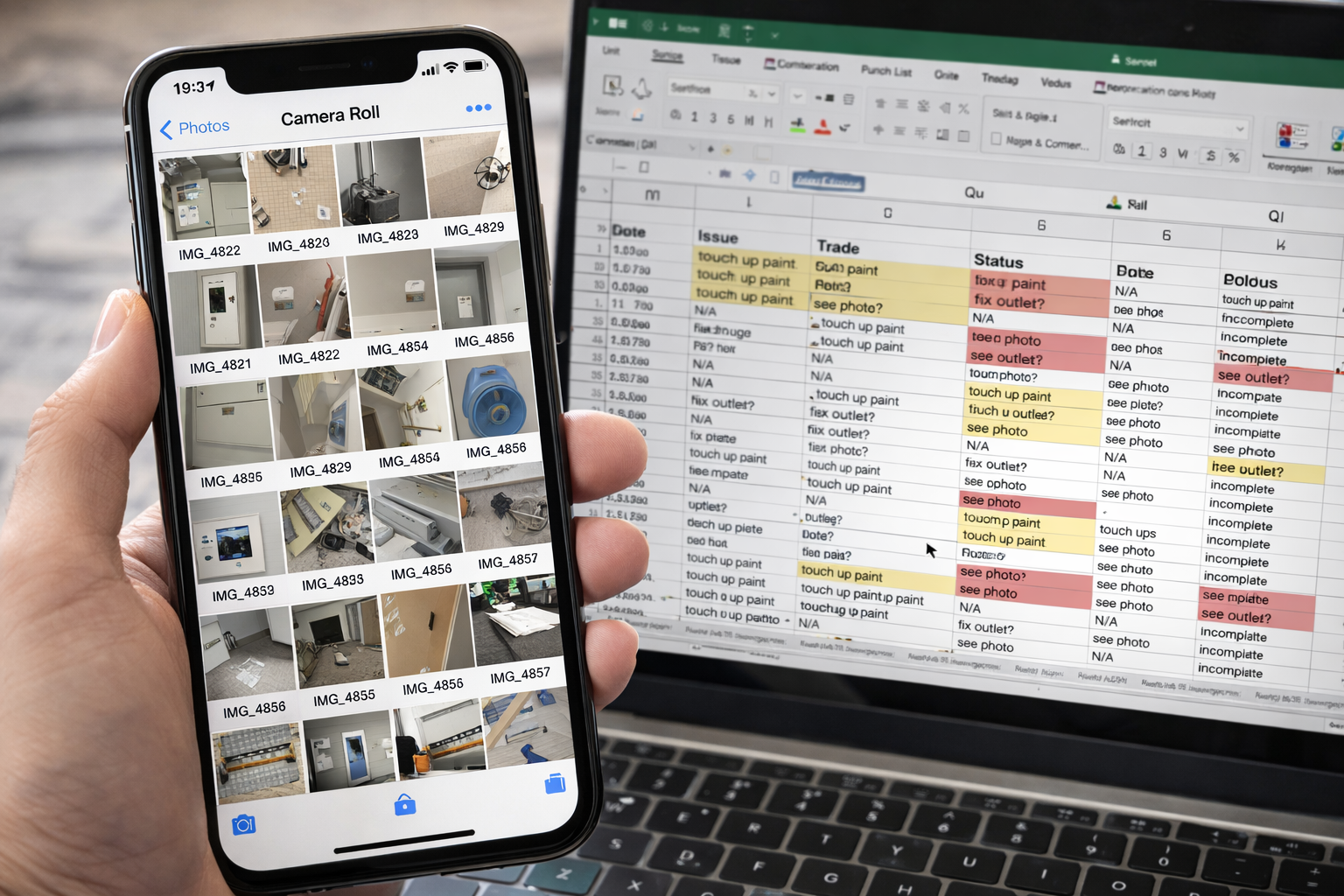
You're back at your desk with 80 photos and a handful of notes. Now the real work starts:
- You open a spreadsheet with 15 columns and 200 rows
- You scroll through your photos to match them to unit numbers and rooms
- You manually name each photo so you can find it later: "Unit_201_Bedroom_Paint_1.jpg"
- You type descriptions into the spreadsheet
- You cross-reference your notes with the photo (half of which were taken from the wrong angle)
- You assign items to trades via text, email, or a group chat
- You wait for responses. Some come in. Most don't.
- You update the spreadsheet manually based on whatever information dribbles in
This takes 2 hours. Some nights, longer. You're not building anything. You're doing data entry because your tools force you to.
The Accountability Problem
Two weeks later, you walk the same unit for a re-punch. The paint issue is back—or maybe it was never fixed, and the sub claimed they did it in a text you can't find. The photo was taken in bad light, so you can't really prove what the issue was. The sub says "looks fine to me" and leaves. You're stuck in a loop of re-walks and arguments because there's no time-stamped, photo-backed record of what was actually wrong.
The Sub Experience: Chaos
From the subcontractor's perspective, your punch list is chaos. You email a spreadsheet. They have to:
- Find their items (sifting through 200 rows they don't care about)
- Figure out which units and rooms to prioritize
- Make assumptions about what the photos show (because the photo is attached to an email, not linked to the item)
- Go to site unprepared or confused
- Call you with questions you can't answer on the fly
Most subs just show up for re-walks and react. Closeout stalls. You spend more time coordinating than building.
How It Works: 30 Seconds Per Item
PunchOutPro is designed for your workflow, not against it.
1. Walk the Unit, Capture as You Go
You open the app on your phone. You're in a unit. You see a punch item:
- Snap a photo
- Tag the room (Bedroom, Kitchen, Bath, etc.)
- Type a quick description: "Drywall seam, east wall"
- Assign it to the trade (Paint, Drywall, Mechanical, etc.)
- Move on
Total time: 30 seconds. The app automatically geo-tags the photo with the unit and time. You're not managing files. You're not trying to remember room names. You're doing your job, and the system is capturing it.
2. Instant Assignment & Notification
The moment you assign an item to a trade, the system notifies that sub. They get:
- A photo of the exact issue
- The unit and room location
- A priority flag if you marked it urgent
- A due date if you set one
No email. No group chat. No confusion. The sub sees their work and can prepare before they show up on site.
3. Live Status Tracking
As subs mark items complete, you see status change in real time. On your phone. No waiting for emails. No manual updates. You have a live view of what's done and what's not.
4. Re-Walk: Filter, Verify, Move On
Two weeks later, you're back on site. You don't re-walk blind. You:
- Open the app and filter by unit
- See exactly what was logged before
- See what the sub marked "complete"
- Walk the unit with a list, not a memory
- If work is done, tap "verified"
- If work isn't done or is redone, add a note and re-assign
- Take one follow-up photo as proof
The whole re-walk is documented. No dispute later. No "I swear I fixed that."
Keep Your PM in the Loop Without Extra Reporting
Your PM doesn't need daily phone calls or email summaries. They need to know: What's punch status? How many items are open? What's blocking closeout?
With PunchOutPro, your PM logs in and sees the exact same live data you do. They can:
- See how many items are open, in progress, and complete
- Filter by trade to see if Mechanical is blocking progress
- Review photos and descriptions without calling you
- Understand blockers and priorities in real time
You're not creating separate reports. You're not translating punch data for someone else. You're doing your job, and they're seeing it live. It saves you time and gives them confidence in the closeout timeline.
A Real Day: Building B Punch Walk
Here's what a punch walk looks like with PunchOutPro.
The Walk: 8:00 AM to 11:00 AM
You're assigned to punch Building B, Floors 2–4, today. That's 8 units. You have your phone, the app, and a list in your head.
Unit 201: Kitchen faucet is rough. Paint touch-ups needed. Some caulk gaps. Bedroom trim missing. That's 4 items. You take 2 photos (one of the sink, one of the trim). You tag both items "Kitchen," assign one to Mechanical (faucet), one to Paint, one to Carpenter (trim). One photo covers the caulk issue, tagged as "General." Assigned to Paint again. All done in 2 minutes. You're in Unit 203.
By 11:00 AM, you've walked all 8 units. You've photographed 95 items. You've assigned 5 trades. Every photo is tagged with a room, a unit, and a timestamp. Every trade has received notifications for their items.
You're back in the trailer by 11:30 AM. No spreadsheet. No admin work. The subs already have their work. Your PM can log in and see punch status. You're done.
By 5:00 PM: The drywall sub has already marked 12 items complete and sent photos. Mechanical has flagged the faucet and marked it "in progress." Paint is queued up. Your PM sees all of it live. Tomorrow, you come back with focused re-walks because you know exactly what each trade is working on.
Built for How You Actually Work
Every feature in PunchOutPro is designed to save you time in the field and on re-walks.
Mobile First
Your phone is your punch list. No tablet. No clipboard. No laptop. Snap, tag, assign, move on.
Auto-Tagging
Photos are automatically tagged with the unit, room, date, and time. You never have to manage files again.
Quick Assign
Tap a trade name to assign. The sub gets notified instantly with the photo and location.
Live Status
See what's done, what's in progress, and what's blocked—without waiting for emails or calls.
Re-Walk Filters
Filter by unit, trade, or status to focus your re-walk. Verify items without re-photographing everything.
Zero Admin
No spreadsheet updates. No photo naming. No data entry. The system does the work; you do your job.
Your Team Stays on the Same Page
PunchOutPro doesn't just work for you—it clarifies work for everyone.
Subcontractors Get Clear Work Orders
Instead of sifting through a spreadsheet, subs see only their items. They get a photo, a location, and a priority. They know exactly what to do before they show up. No surprises. No wasted trips.
Your PM Sees Real-Time Progress
Your project manager doesn't have to chase you for updates. They log in and see:
- Total punch items by unit
- Completion status by trade
- Blockers and priority items
- Days to projected closeout
Your QA Lead Can Verify Remotely
If your quality assurance person can't always be on site, they can review punch photos and notes from the office. They can leave feedback, flag re-work, and assign follow-ups—all in the system, not in email.
Field Speed Meets Accountability
The goal isn't to build a "punch list app." It's to give you a tool that works as fast as your feet move. Every second saved in the field is a second not spent at a desk.
You're Not Writing a Report
You're taking photos and assigning work. That's it. The system captures the metadata, organizes it, and shares it. You're not creating extra work; you're replacing the admin work that happens anyway.
Disputes Go Away
When a sub claims they completed something, you have a time-stamped photo, a geo-tag, and a status history. If the work wasn't done, you have proof. If it was done but degraded, you have the before and after. No arguments. No re-walks to settle disputes.
Closeout Stays on Track
Because every item is visible and accountable in real time, you avoid the slow-down that kills timelines. Subs show up prepared. Your PM knows what's coming. You verify and move on. Closeout happens at the pace of site progress, not the speed of email.
Ready to Stop Spreadsheet Admin Work?
Start capturing punch on your phone and let the system handle the rest. 14-day free trial, no credit card needed.
Start Free TrialCommon Questions From Superintendents
What if a sub doesn't have a smartphone or won't use the app?
You can log items and assign them on behalf of the sub. The sub still gets notified via email or phone with the details. Many superintendents manage this workflow and see huge time savings versus spreadsheets. You're not asking the sub to change their process—you're just giving them clearer work orders.
Can I use PunchOutPro on a re-walk to verify completed work?
Yes. On a re-walk, you filter by unit or trade and see what was marked complete. You verify on the spot with a photo or note. If work is done, you mark it verified. If it's not done or needs rework, you add a comment and re-assign. The whole verification is tracked in the system.
Does my PM need to pay for a separate account?
No. Your PM can access the same project and see all punch data in real time at no extra cost. They log in, filter by trade or unit, and see status. You stay organized; they stay informed.
What happens if I need to add a punch item after the initial walk?
You can add items anytime. Walk the unit, spot something new, log it right then. It gets assigned, the sub gets notified, and it goes into the queue. No need to wait for a "formal" punch walk. Punch management is continuous, not a one-time event.
Can I export punch lists or photos for final reports?
Yes. You can export the entire punch list as a PDF or CSV, with or without photos. Many superintendents use this for final closeout documentation, handoff to the client, or compliance records. All your data is yours.
How long does training take?
Most superintendents pick it up in 15 minutes. Snap photo, tag room, assign trade. It's faster than explaining spreadsheet columns. For your team, we provide a quick walkthrough video and live support. You're productive on day one.
Learn More About Efficient Punch Management
- Punch List Software for Multifamily Projects — Managing punch at scale across units and buildings.
- Subcontractor Punch List Tracking — How to keep trades accountable without constant follow-ups.
- Punch List Software vs. Spreadsheets — Why software saves you time and eliminates disputes.
- PunchOutPro Pricing — Plans for teams of any size. Start free, no credit card.